Step by step
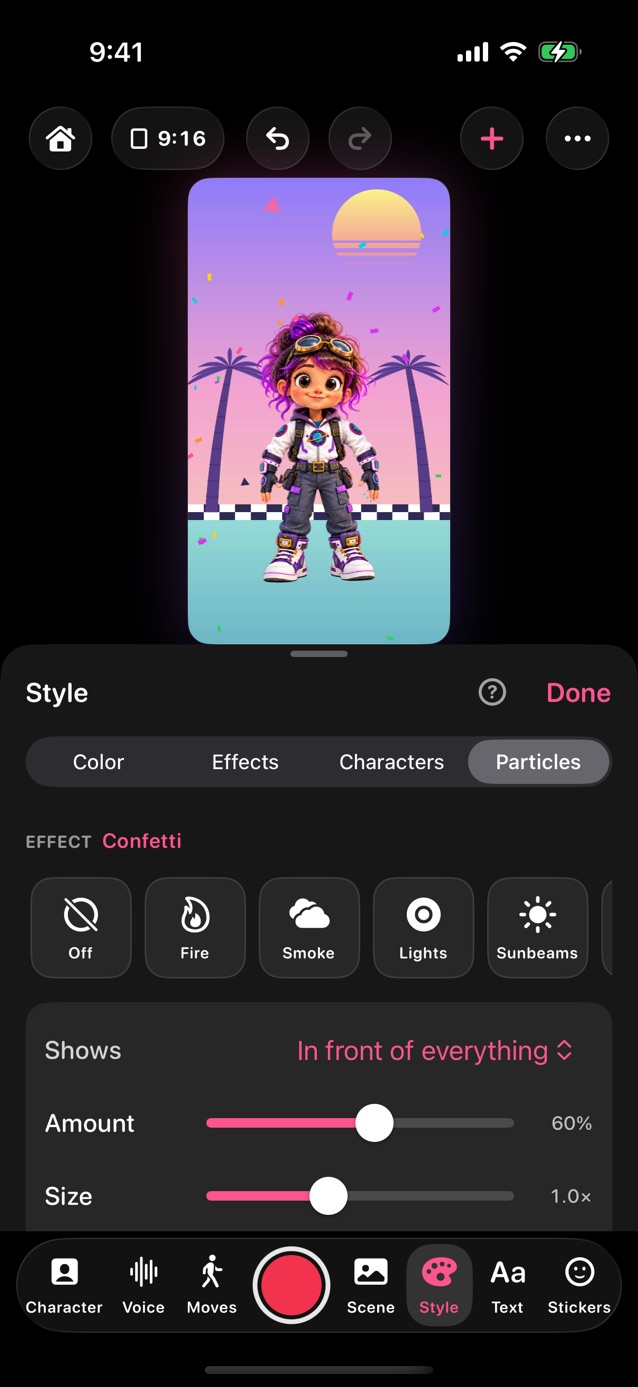
- In Pro Studio, tap Style in the dock, then Particles at the top of the panel.
- Pick an effect, like Confetti or Snow. None takes it away, and so does Reset at the top.
- Shows: choose behind the character, over it, or in front of everything.
- Amount, Size, Speed and Wind are underneath, once an effect is on.
- Fire, Smoke, Lights, Sunbeams, Magic and Lightning are drawn on the graphics chip, so they're full and smooth, and in your video too.
- React to talking makes particles livelier while someone talks: faster, and Fire, Lights and Magic bigger and brighter.
- React to characters (on to start with): snow, rain and the like flow around the characters and get swept along as they move; smoke parts round them, fire flares when they jump, sunbeams cast their shadows, and Magic gathers around whoever is talking.
- My picture (Plus): use your own PNG, like a star or your logo.
Related
Still stuck? Email hello@yipyappy.com with your device and what happened.