 Quick Yap
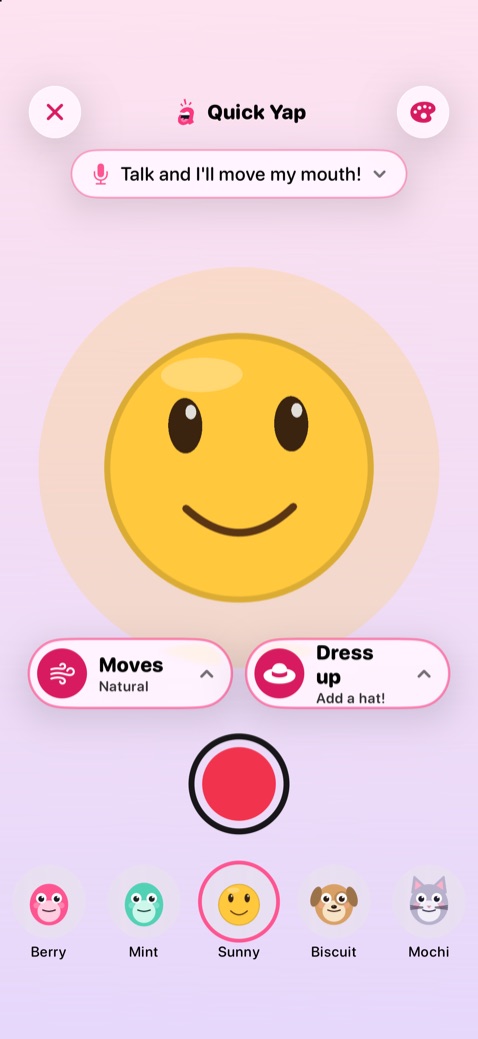
Just talk
The mic moves the mouth; the character blinks and moves on its own. Pick how it moves, dress it up with a hat, or tell a story in three parts. Sharing sits behind a grown-up check.
Turn any character, mascot, pet, photo or drawing into a talking star for TikTok, Reels and Shorts. Talk, use your face, or pick an AI voice.
Opens your email app. No email app? Write to hello@yipyappy.com.
We tried the apps people reach for, from photo talkers to cartoon studios. These six you'll only find in YipYappy.
Type {wave} or {surprised} into your lines and the character does it right on that word, whether an AI voice reads them or you read them off the teleprompter.
UsuallyYou drag each gesture onto a timeline.
Turn on Stand in the room and your character stands on the desk or the floor, and stays put while you walk around it with the phone.
UsuallyA flat picture behind the character.
Prop up your iPhone or iPad and step back. The front camera follows your arms and the character copies you live, like a mirror. Save the best ones as your own moves.
UsuallyDesktop software, or uploading a video and waiting.
Send a two- or three-character scene. Your friend records their character's lines on their own phone and sends it back, ready to record the clip with everyone's voices. How it works
UsuallyEveryone crowds around one device.
Read your lines from the teleprompter, then see words correct per minute, accuracy and any words missed, with a one-page report for the teacher.
UsuallyA separate reading app, or a stopwatch.
Use the Personal Voice you made on your iPhone, or the free voices already on your device. Captions and lip-sync are worked out on the device too.
UsuallyPaid AI voices, credits and an account.
All of it works without an account, and nothing you record is uploaded. Private by design
From a first-time five-year-old to a creator posting daily, there's a studio that fits.
Quick Yap
The mic moves the mouth; the character blinks and moves on its own. Pick how it moves, dress it up with a hat, or tell a story in three parts. Sharing sits behind a grown-up check.
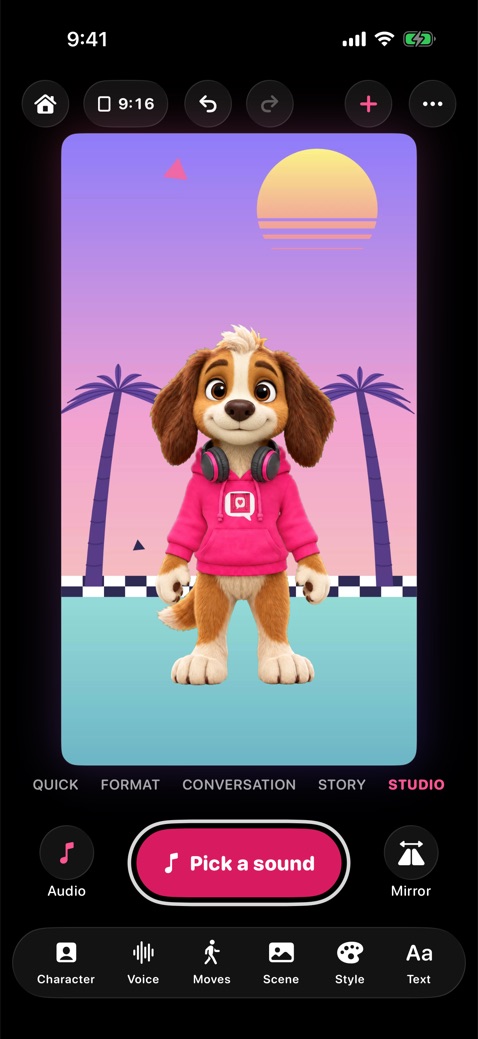 Pro Studio
Characters, voices, moves, scenes, frames, looks, effects and text, in 9:16, 1:1 or 16:9. Record in 1080p or turn clips into GIFs.
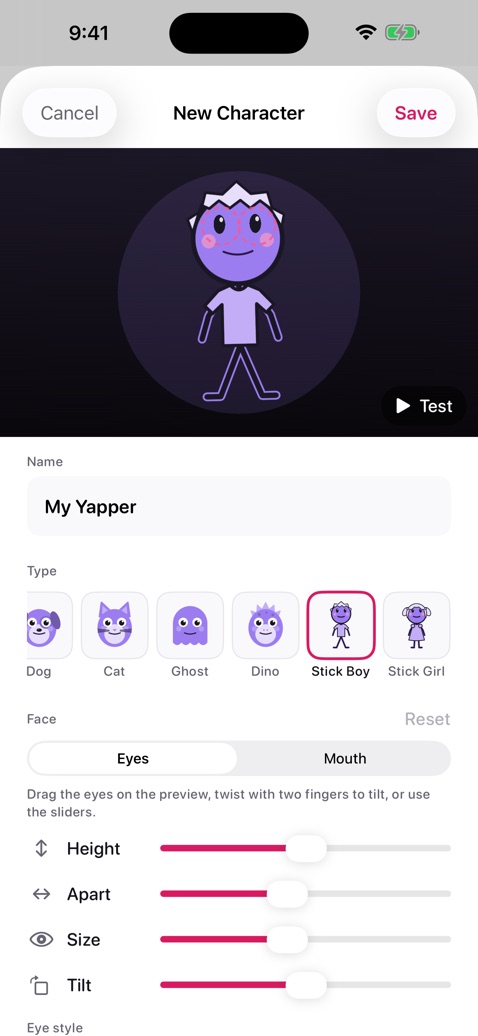 Create your own
Pick a type, from dogs and dinos to stick figures, then colors, face and accessories, or make any photo talk. Your characters work in every mode.
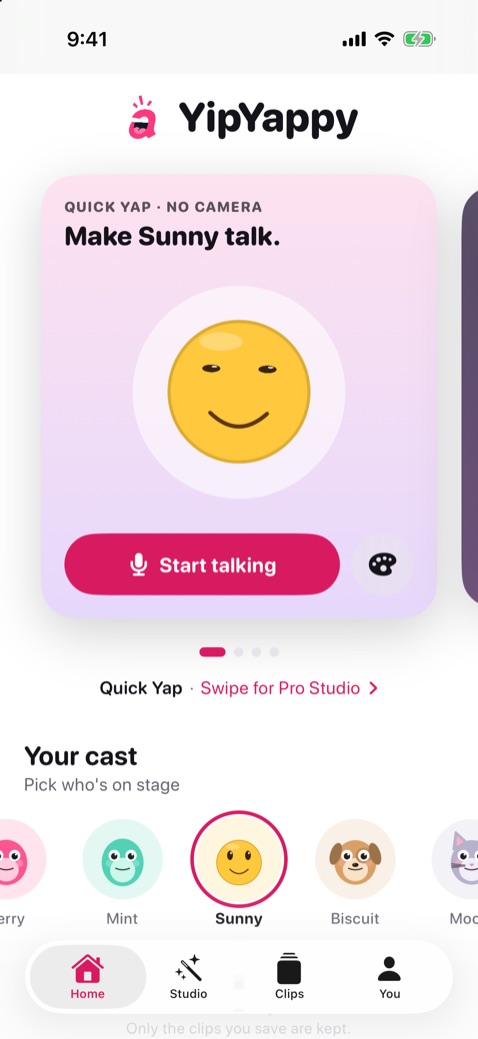 Home
Swipe the cards for Quick Yap, Pro Studio, Send to a friend, Live Face or a new character, and tap who's on stage from your cast.
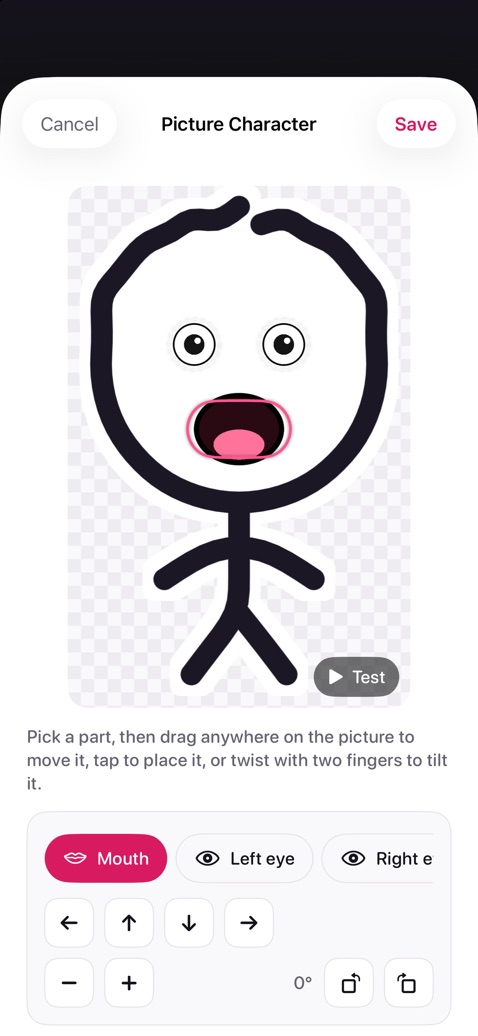
Draw a character with a finger or Apple Pencil. YipYappy lifts it off the paper, adds blinking eyes and a talking mouth, and puts it on stage, ready for your voice.
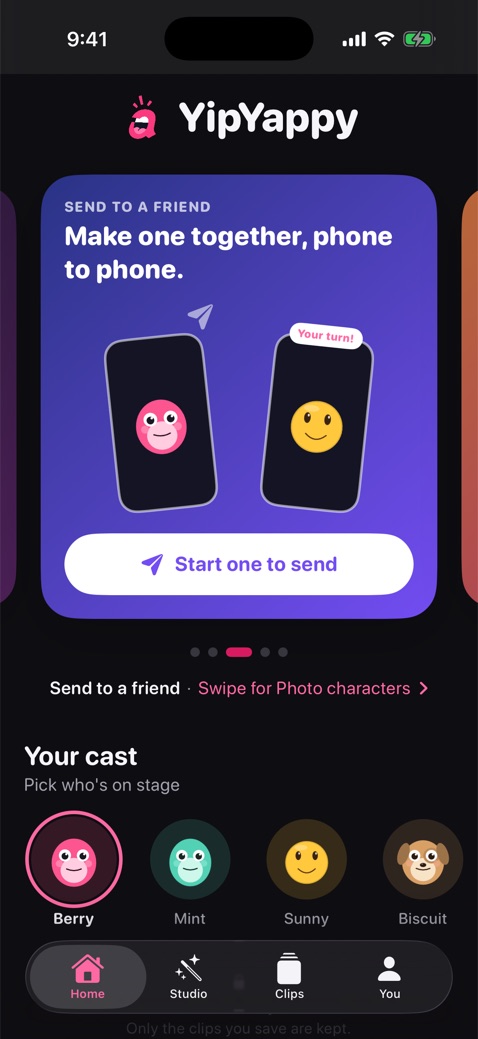
Pick a scene made to send, like Knock knock, Guess what! or Thinking of you. Write both sides, record your lines and send it in Messages or AirDrop. Your friend opens it in YipYappy, records their part and sends it back, ready to record with everyone's voices.
All the tools to go from idea to posted clip in a couple of minutes.
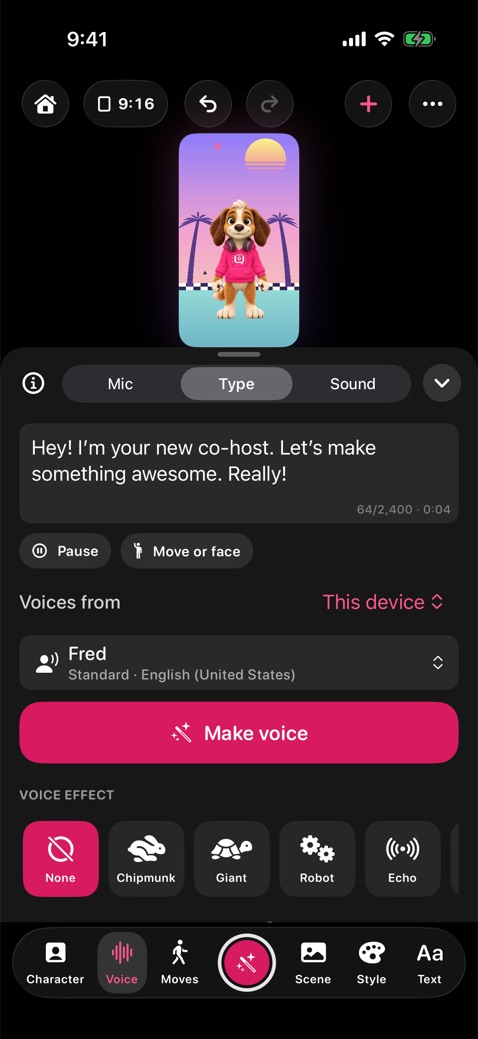
Start from a selfie, your pet or a drawing, or describe one in Image Playground. YipYappy cuts it out, finds the face and gives it a mouth.
Talk into the mic, type a script for an AI voice, or use a sound, a song you own or a video's audio. Add royalty-free background music.
Stuck for words? Describe an idea and Apple Intelligence writes a short script, with moves and faces, right on your iPhone or iPad. Then polish it with Writing Tools.
On iPhone and iPad with Face ID, your blinks, glances, head tilts and expressions become the character's.
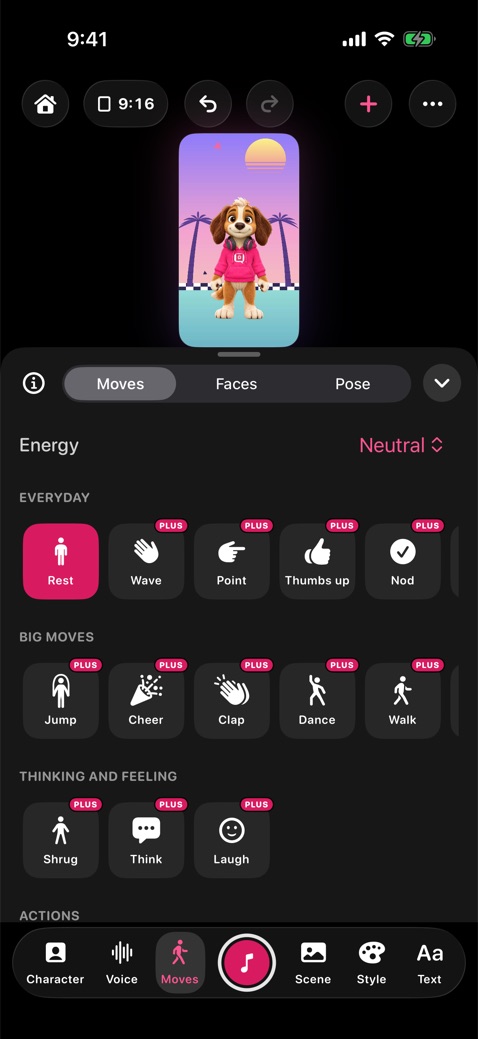
Fifteen moves and thirteen faces, even mid-take, plus ready-made actions like Greet, Agree, I don't know and Celebrate that put a face and moves together. Characters without arms show the hand in a bubble.
Give each character its own lines and voice for a conversation, or take turns on the mic. The moves follow whoever is talking, and captions colour each one's words. Put any of them in front or behind.
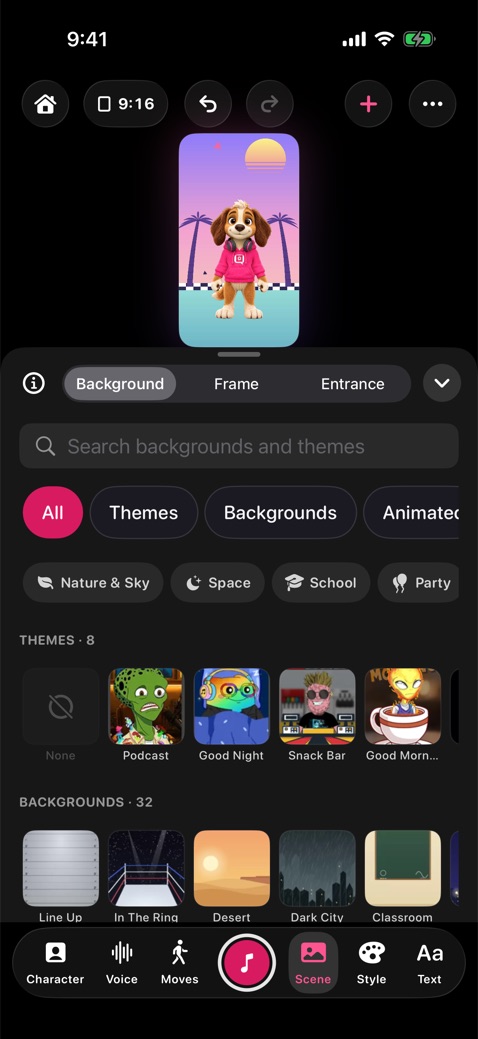
Animated backgrounds, looping videos, a photo you take or pick, a place Image Playground draws for you, or a green screen for editing later.
Film a live background with the back camera, or turn on Stand in the room and your character stands on your desk or the floor.
One tap sets a background and frame together, or sort them by subject: Space, School, Party, Holidays and more. Size, turn and move any background or frame, or see them all in one big grid.
Put emoji, Genmoji and the stickers from your keyboard on the stage, paste a cutout from Photos, cut one out of any picture, or describe one for Image Playground to draw. Make them bounce, spin or float, and keep them to use again. YipYappy characters come as stickers for Messages too.
Film-style color looks, confetti, snow and glitter, plus titles in eight fonts and a scrolling news ticker for the Breaking News frame.
Trim, join clips with transitions, add titles and music on a timeline, and make captions from the sound in one tap, all on your device.
Daily reaction, Birthday message, News explainer, Short interview, Story time, Fun fact, scenes for family and friends and more. Each sets the shape, length, a matching background and frame, the entrance, captions, music and reading pace, with moves timed into the script. Share one as a link.
Save a set-up by name, with its character, scene, text and voice, and start the next episode or class assignment in one tap.
Turn a set-up into a show. Each episode starts ready to record, gets the show's intro and outro, and lands in its own folder.
Try ideas freely. Undo and Redo cover every change on the stage, one drag at a time.
A short walkthrough takes beginners from picking a character to a saved clip, step by step.
Lesson links set up the whole task for every student, with a teleprompter, reading practice and School mode. For teachers.
Photograph a book page or worksheet and its words become your character's lines, read right on your device.
The app follows your device in English or Spanish, and the voices, captions and reading practice can use either. Translate puts a script into another language on your device, and the characters can speak it.
Face tracking and lip-sync run on your device. Nothing is recorded unless you hit record.
No account, no ads and no tracking in the app.
Your clips are saved on your device. They only leave it when you share them.
Read the full privacy policy.
Coming soon to iPhone & iPad. Be the first to know.
Or write to hello@yipyappy.com and we'll tell you the day it's out.