
Step by step
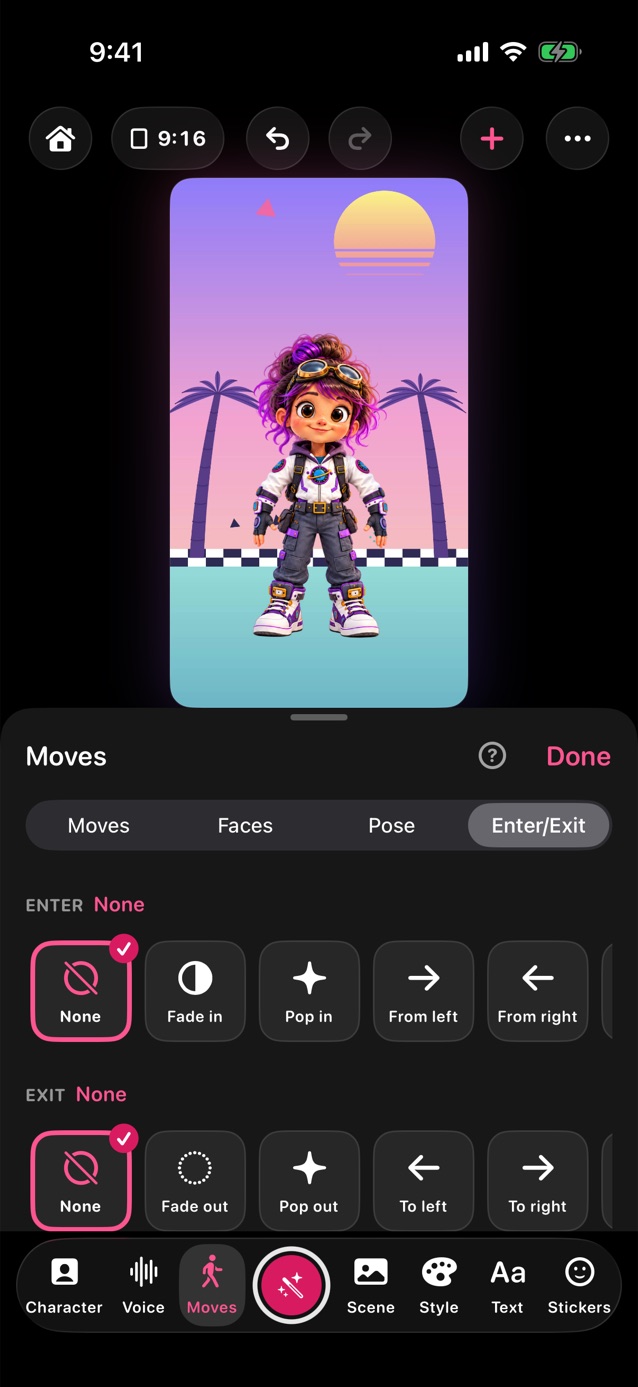
- In Pro Studio, tap Moves in the dock, then Enter/Exit at the top of the panel.
- There's a row each for Enter, Exit and Across. Each starts with None.
- Pick a move. It previews right away. An exit leaves the character off stage until an entrance brings it back.
- Pixel in draws the character square by square, and Beam in scans it in with a bright line. Pixel out and Beam out take it away the same way.
- Or set them as you record: tap the red button, and Start and End show under the stage before it counts down. The wand picks a Style, like Zoom in, Big reveal or Beam me up, with a start, a move and an end that go together.
- Record. The entrance plays at the start, and the exit plays when you tap Stop, or just before the time runs out.
Related
Still stuck? Email hello@yipyappy.com with your device and what happened.