Step by step
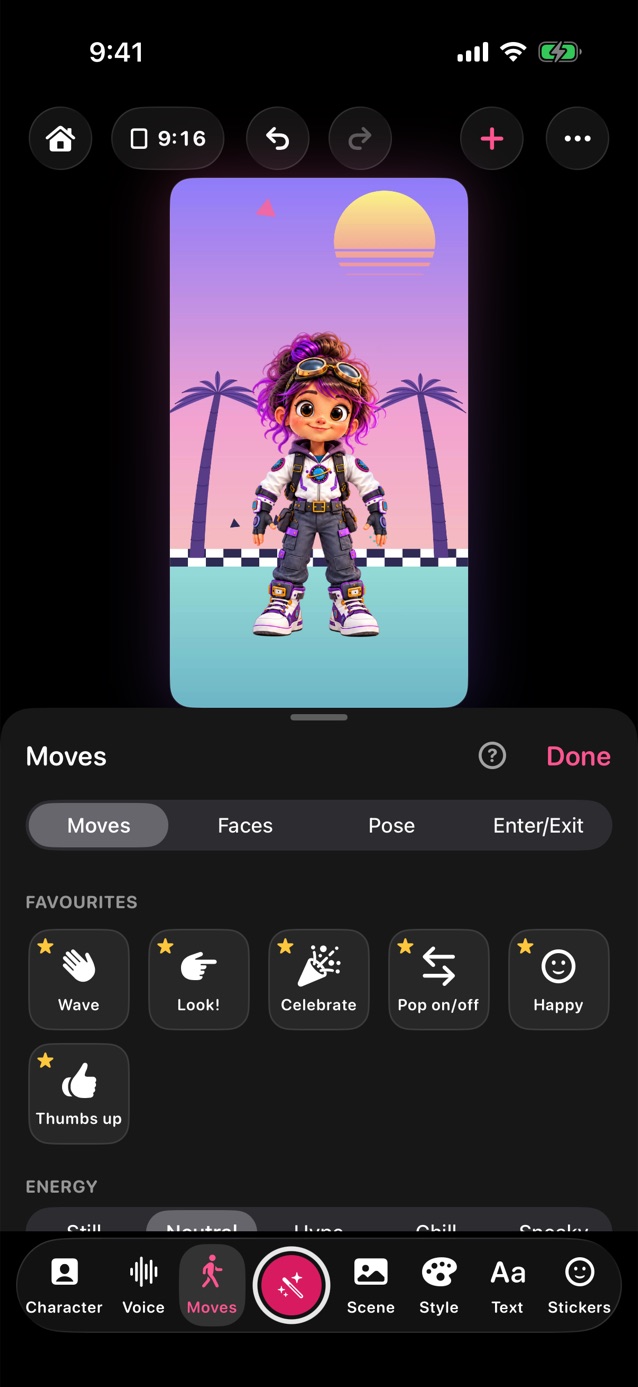
- In Pro Studio, tap Moves in the dock.
- Tap a move, like Wave, Clap, Dance or Bow. It plays once. Energy, just above the moves, sets how big and lively they are. Still keeps the character from moving at all between moves, while its mouth and eyes still work.
- Faces holds an expression like Happy, Excited, Confused or Silly; the one held has a check. Tap it again, Neutral or Reset to let go. Show icon turns the little symbol above the character on or off.
- While you record, your first three favourites are shortcuts under the stage, so you can act out your clip. More opens the rest: Favourites, Actions, Moves, Faces and On/Off. Edit, beside Shortcuts before you start, puts them in order.
- Pose: drag the pink dots on the hands, or use the arrows under Arms, to pose the arms. Or tap Use my body to move them with yours.
- Record a move to save your own; it shows under My moves.
- Actions put a face and moves together: Greet, Agree, I don't know, Celebrate and more. Tap New beside Actions to make your own. Characters without arms show the hand in a bubble beside them.
- Touch and hold any move and choose Add to Favourites to keep it first in the list. While you record, touch and hold one for Move earlier or Move later.
- Enter/Exit, the last tab, picks how the character comes on, goes off or crosses the stage.
Related
Still stuck? Email hello@yipyappy.com with your device and what happened.