
Step by step
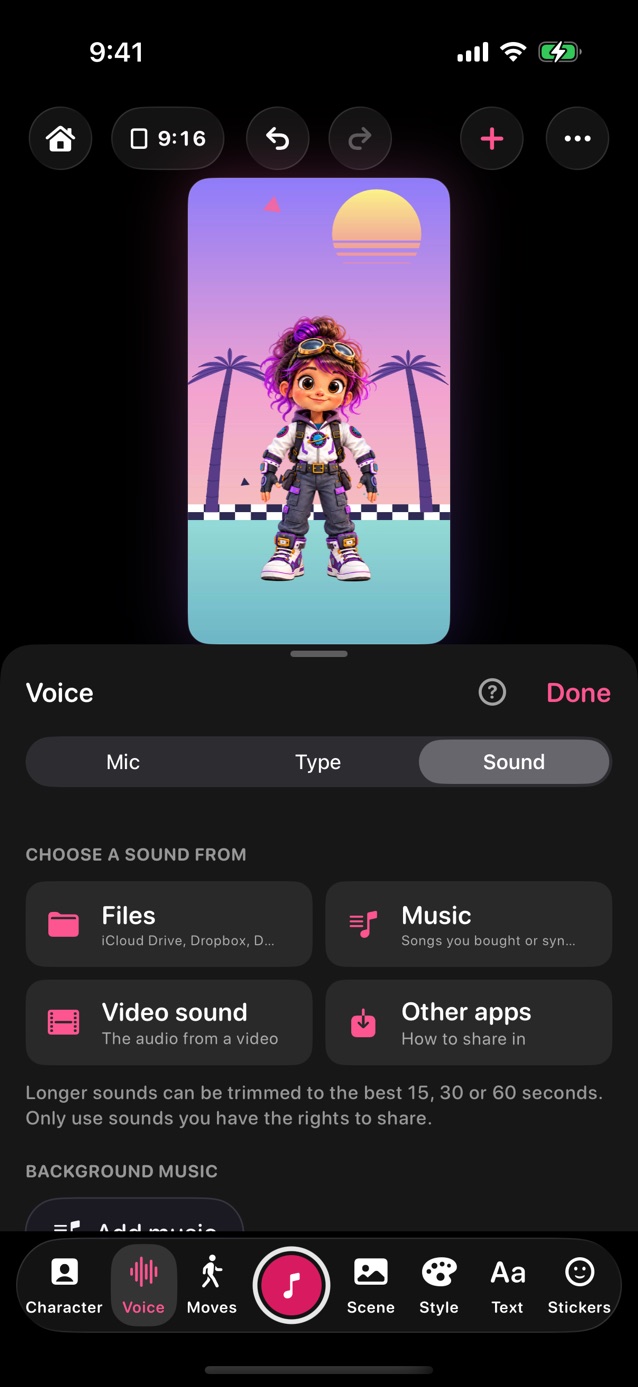
- In Pro Studio, tap Voice in the dock and choose Sound.
- Choose a sound from Files, Music, Video sound or Other apps.
- If it's long, pick the best 15, 30 or 60 seconds.
- Tap the red button. The sound plays and the mouth follows it.
- Only use sounds you have the rights to share.
Related
Still stuck? Email hello@yipyappy.com with your device and what happened.